

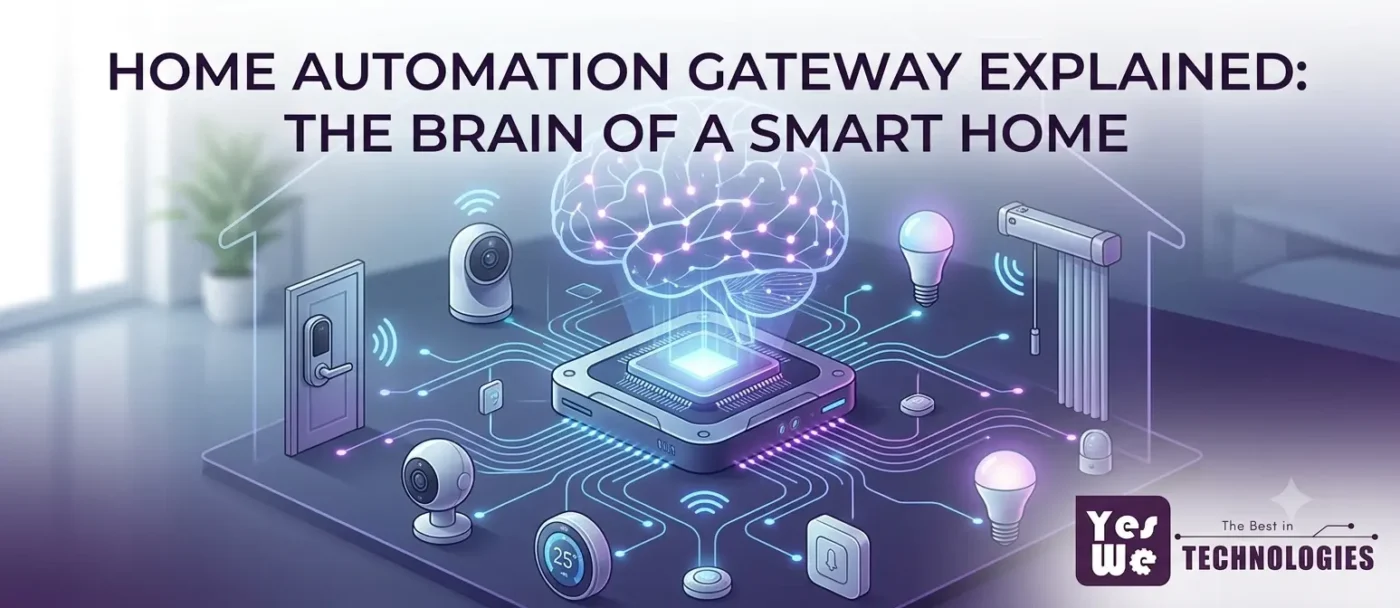
You have spent time choosing the right smart lights, a good smart lock, maybe a motorised curtain system and a Wi-Fi air conditioner. You install everything, download four different apps, and sit back — only to realise that none of these devices know the other exists. The curtains cannot close when the AC turns on. The lights cannot dim when you start a movie. There is no ‘Good Night’ command that controls everything at once.
You have smart devices. You do not yet have a smart home. That gap is what a home automation gateway closes.
The gateway is the single component that most homeowners skip or misunderstand when setting up home automation — and it is the one that determines whether you end up with a genuinely integrated home or just a collection of individually controllable gadgets. This guide explains what it is, how it works, and exactly when you need one.
Key Takeaways
| 💡 A home automation gateway is the central device that connects all your smart home devices, translates between their different communication protocols, and enables them to work together as a unified system. 💡 Without a gateway, smart devices operate in silos — each device has its own app, cannot trigger others, and cannot participate in multi-device scenes. 💡 The gateway’s core job is protocol translation: Zigbee, Wi-Fi, Bluetooth, RF, and Z-Wave are different languages; the gateway speaks all of them and routes instructions accordingly. 💡 Local processing gateways run automations on your home network — they keep working during internet outages, which matters significantly in Indian home conditions. 💡 Cloud-dependent gateways route commands through a server: faster to set up, but automations fail if your broadband goes down. 💡 If all your devices are Wi-Fi-native and from one brand, you may not need a gateway for basic use. The moment you mix brands, add Zigbee devices, or want cross-device scenes, you do. 💡 Most Bangalore homes planning real automation — lights, curtains, HVAC, AV, and security — hit the threshold where a gateway is essential well before the project is complete. |
What a Home Automation Gateway Actually Is
A home automation gateway — also called a smart home hub, controller, or bridge — is a small, always-on device that sits on your home network and acts as the central coordinator for every smart device in your home.
Think of it this way. Your home has dozens of smart devices: lights that speak Zigbee, a Wi-Fi air conditioner, a Bluetooth speaker, RF-controlled curtain motors, a smart lock on a Z-Wave protocol. Each of these devices speaks a different communication language. Without a gateway, they are islands — each one can be controlled individually, but they cannot communicate with each other.
The gateway speaks all of these languages simultaneously. It receives an instruction — from your phone app, a voice command, a sensor trigger, or a scheduled routine — translates it into whichever protocol each target device uses, and delivers the command. It is less like a brain giving orders and more like a postmaster: receiving messages in every language, understanding each one, and routing them to exactly the right recipient in the right format.
The Terminology Problem — and Why It Does Not Really Matter
If you have been researching this topic, you have encountered all of these terms used more or less interchangeably: gateway, hub, controller, bridge, smart home server. Here is the practical reality:
| Term | What it technically means | In practice |
|---|---|---|
| Gateway | Bridges two different networks or protocols | Used interchangeably with hub in home automation |
| Hub | Central connection point for multiple devices | Same as gateway in most consumer contexts |
| Bridge | Connects a specific protocol to your network | Usually protocol-specific (e.g. Philips Hue Bridge for Zigbee bulbs only) |
| Controller | Processes automation logic and sends commands | Often the same device as hub/gateway in integrated systems |
| Smart home server | Runs automation software locally on hardware | Usually a more advanced setup (e.g. Home Assistant on a Raspberry Pi) |
For the purposes of this blog — and for most homeowners in Bangalore planning a home automation system — gateway and hub mean the same thing: the central device that connects your smart home together. The distinction between a ‘gateway’ and a ‘bridge’ is relevant when you get into advanced setups, but not at the buying and planning stage.
What It Physically Looks Like
A home automation gateway is typically a compact device about the size of a thick smartphone or a small Wi-Fi extender. It plugs into power and connects to your router via Ethernet or Wi-Fi. Inside, it contains multiple wireless radios — one for each protocol it supports. A quality gateway for an Indian home typically includes Wi-Fi, Zigbee, and Bluetooth radios at minimum, with some models adding Z-Wave or RF support.
It runs continuously in the background. You will rarely look at it after setup — but everything in your smart home passes through it.
The Problem a Gateway Solves: Protocol Fragmentation
The single biggest reason smart homes fail to feel smart is protocol fragmentation — the fact that different smart devices use different wireless communication standards that cannot natively talk to each other.
| Protocol | Used by | Range | Needs gateway? |
|---|---|---|---|
| Wi-Fi | Smart ACs, cameras, many switches | Whole home (via router) | Not always — depends on brand ecosystem |
| Zigbee | Many smart lights, sensors, curtain motors | 10-30 metres (mesh) | Yes — needs Zigbee coordinator or gateway |
| Bluetooth | Smart locks, some lights, audio devices | 10 metres | Often — BT-only devices cannot be remotely accessed without a hub |
| Z-Wave | Security sensors, smart locks (less common in India) | 30 metres (mesh) | Yes — needs Z-Wave controller |
| RF (Radio Frequency) | Curtain motors, gate automation, some switches | 50-100 metres | Yes — needs RF gateway to integrate with app control |
| Matter | Newer cross-brand standard (emerging in India) | Whole home | Needs Matter controller — usually the gateway |
Without a gateway, here is what your smart home actually looks like: your Zigbee lights are in the Philips Hue app, your Wi-Fi AC is in the Daikin app, your RF curtain motor is in its own remote, your smart lock is in its brand’s app, and your Wi-Fi switches are in yet another app. You have five apps and no way to create a single ‘Movie Mode’ scene that controls all of them together.
With a gateway, all of these devices are visible in a single interface. You create one scene, it sends instructions to all five devices in their respective protocols simultaneously, and your living room transforms in three seconds.
This is precisely why homes built on a complete home automation system in Bangalore — where all components are designed to work together through a central gateway — deliver a meaningfully different experience from homes where individual smart devices were added ad hoc.
Local Processing vs Cloud Processing: The Distinction That Matters Most in India
This is the most important technical decision in gateway selection, and the one that receives the least attention in most buying guides. Where your gateway processes automation commands — locally on your home network, or remotely on a company’s cloud server — determines how your home behaves when your internet goes down.
How Cloud Processing Works
With a cloud-dependent gateway: you tap ‘Good Night’ on your phone app. The command leaves your phone, travels to the company’s server, the server processes the automation rule, sends commands back to your router, which forwards them to each device. The round trip takes a fraction of a second under normal conditions. But the entire chain depends on three things working: your home broadband, the company’s server, and the route between them.
How Local Processing Works
With a local-processing gateway: you tap ‘Good Night.’ The command goes from your phone to the gateway sitting on your home network. The gateway processes the automation rule locally, sends commands directly to each device via their respective protocols. Internet connectivity plays no role whatsoever. The automation runs at 11 PM even if your ISP is having an outage, even if the company’s servers are down, and even if your phone is in another city.
| Why this matters in Bangalore specifically: Indian broadband connections — including fibre — experience brief interruptions more frequently than most users consciously notice. Automations that feel ‘unreliable’ in cloud-dependent systems often fail not because of the gateway but because of a 2-minute internet interruption the user did not notice. Local processing eliminates this failure mode entirely. |
The Privacy Dimension
Local processing also means your home’s behavioural data — when you wake up, when you leave, what temperature you prefer, when you go to sleep — stays on your home network. Cloud-dependent systems route this data through external servers, where it is processed, stored, and subject to the vendor’s privacy policy. For households with strong privacy preferences, a local-processing gateway is meaningfully better.
| Factor | Local processing gateway | Cloud-dependent gateway |
|---|---|---|
| Works during internet outage | Yes — fully | No — automations fail |
| Response latency | Very low (milliseconds) | Higher (depends on server response) |
| Privacy | Data stays on home network | Data processed on vendor servers |
| Setup complexity | Higher — more configuration needed | Lower — app-guided setup |
| Upfront cost | Generally higher | Generally lower |
| Long-term reliability | Not dependent on vendor’s server status | Depends on vendor staying in business |
What a Gateway Enables That Individual Devices Cannot
Even if every device in your home is smart, without a gateway coordinating them, the ceiling of what is possible is surprisingly low. Here is what changes when a gateway enters the system.
Multi-Device Scenes
A scene is a single command that triggers multiple devices simultaneously. Movie Mode: lights dim to 10 percent, curtains close, AC sets to 24 degrees, TV powers on. Without a gateway, this requires four separate actions across four apps. With a gateway, it is one tap or one voice command.
Scenes are where smart home investment pays for itself in daily quality of life. And scenes require a coordinator — there is no other way to trigger multiple devices of different protocols simultaneously.
Cross-Protocol Automation
A motion sensor detects someone entering the living room at 7 PM and triggers the lights, the AC, and a welcome scene. That motion sensor might be Zigbee. The lights might be Zigbee too, but the AC is Wi-Fi and the smart speaker is Bluetooth. Without a gateway, the motion sensor can only talk to other Zigbee devices. With a gateway, it can trigger anything in the home regardless of protocol.
Reliable Schedules
Device-level schedules — programmed directly into a Wi-Fi bulb or smart switch — depend on the device staying connected to the cloud. If the cloud service changes, the schedule can stop working. Gateway-level schedules run locally and continue indefinitely.
Single App, Full Control
Instead of five apps for five brands of devices, one gateway app gives you a unified view of everything in the home. You can see all devices, create scenes, set schedules, receive alerts, and control the entire home from a single interface — whether you are on the sofa or on a flight.
Voice Assistant Integration at Scale
Pairing 20 individual devices with Alexa or Google Home is tedious, creates fragile connections, and often breaks when device firmware updates. A single gateway pairs with Alexa once, exposes all connected devices through that single account, and manages firmware and cloud compatibility centrally.
When smart curtain automation in Bangalore is part of your home — where motorised curtains respond to scenes, schedules, and sensor triggers — the gateway is what makes them part of your ‘Leave Home’ scene rather than a separate remote-controlled system.
Do You Actually Need a Gateway?
This is the question most buyers are really asking, and it deserves a direct answer rather than a marketing deflection.
When You Probably Do Not Need One
If you have three to five smart devices, all from the same brand, all native Wi-Fi, all controlled by a single app, and your goal is simply to control them remotely and set basic schedules — you can get most of what you need without a dedicated gateway. The brand’s own app handles device management, Alexa or Google Home handles voice commands, and the system works adequately.
A single smart plug, a couple of smart bulbs, and a Wi-Fi camera do not require a gateway to deliver their basic function.
When You Do Need One
- You have more than 8 to 10 devices and the number of apps is becoming unmanageable
- You are mixing devices from different brands or different protocols — Zigbee lights alongside Wi-Fi switches, for example
- You want multi-device scenes that run reliably without manual triggering
- You have RF-controlled devices — motorised gates, curtain motors, or older automation equipment — that need to be brought into the smart home system
- You want local processing reliability so your home continues functioning during internet outages
- You are integrating security, HVAC, lighting, and AV systems together — this level of integration requires a coordinator by definition
The Tipping Point for a Bangalore 3BHK
A realistic smart home for a 3BHK apartment in Bangalore — smart lighting across rooms, motorised curtains, HVAC automation, smart door lock, CCTV integration, and an AV system — typically involves 20 to 40 devices across three or four protocols. That is the kind of system where a gateway is not optional. It is the architectural foundation that makes everything else function correctly.
The right time to plan for a gateway is at the start of the project, not after you have already bought devices that turn out to be incompatible. If you are planning home automation in Bangalore at this scale, the gateway selection is one of the first decisions that should be made — ideally with professional guidance on which protocols your chosen devices use.
What to Look for When Choosing a Gateway
Not all gateways are equal. Here are the variables that actually matter for Indian home conditions.
- Protocol support: Confirm the gateway supports every protocol your devices use. A gateway that supports Wi-Fi and Zigbee but not RF will leave your motorised curtains and gate outside the smart home system.
- Local processing capability: Explicitly verify whether the gateway processes automations locally or requires cloud connectivity. In India, local processing is strongly recommended for reliability.
- Device capacity: Most consumer gateways support 50 to 100+ devices. For a large home or villa, confirm the ceiling before buying.
- Voice assistant compatibility: Confirm native support for Alexa and Google Home. Avoid gateways that require workarounds or third-party bridges for voice integration.
- App quality and update track record: The gateway app is what you will use every day. Check reviews specifically on app stability and how frequently the manufacturer pushes firmware updates.
- Indian voltage and condition compatibility: Gateways designed for Indian power conditions (220V, 50Hz) and humidity ranges perform more reliably than models imported from markets with different electrical standards.
Home Automation Gateways in Bangalore: Yes We Technologies
Understanding what a gateway does is step one. Choosing the right gateway for your specific mix of devices, protocols, and home layout — and configuring it correctly so that scenes, schedules, and cross-device automations actually work reliably — is where professional expertise makes a significant difference.
Yes We Technologies supplies and configures home automation gateways in Bangalore for apartments, independent homes, villas, and commercial spaces — selecting the gateway based on the specific protocols and devices in each project, configuring local processing where reliability requires it, and integrating every system into a single, coherent smart home platform.
What this means in practice: your smart lighting, motorised curtains, HVAC, smart door lock, CCTV, and home theatre all operate through one gateway, one app, and one voice command interface — rather than a collection of independent systems that happen to share a postcode.
Yes We Technologies handles the full gateway journey:
- Protocol assessment: mapping every device you have or plan to buy to the protocols they use, then recommending a gateway that supports all of them natively
Scene and automation programming: Movie Mode, Good Morning, Leave Home, and any custom scene — including ones that bridge smart touch switches in Bangalore with lighting, curtains, and HVAC in a single tap
- Local processing configuration: automations that run on your home network, not dependent on your ISP’s uptime
- Voice assistant integration: Alexa and Google Home connected through the gateway so all devices respond to a single account
Full smart home integration: CCTV, access control, motorised gate automation in Bangalore, and AV systems unified through the same gateway platform
- Ongoing support and Annual Maintenance Contracts for long-term reliability
Serving Whitefield, Indiranagar, Koramangala, Sarjapur Road, Hebbal, Electronic City, Jayanagar, Banashankari, JP Nagar, HSR Layout, Bellandur, Marathahalli, and all areas across Bangalore.
| Book a Free Home Automation Consultation Phone: +91 9620555565 Email: enquiry@yeswe.in Address: #29, Opp. BESCOM, DLF Main Road, Bannerghatta Road, Hulimavu, Bengaluru – 560076 |
Frequently Asked Questions
1. What is a home automation gateway?
A home automation gateway is a central device that connects all your smart home devices — regardless of the wireless protocol they use — into a single, coordinated system. It translates between protocols like Zigbee, Wi-Fi, Bluetooth, and RF, enabling devices from different brands and technologies to communicate and work together. It is what allows a motion sensor to trigger your lights, your curtains, and your AC simultaneously.
2. What is the difference between a gateway and a hub?
In home automation, gateway and hub refer to the same concept for most practical purposes — a central device that connects and coordinates smart home devices. Technically, a ‘bridge’ is more specific (connecting one particular protocol to the network) while a ‘gateway’ or ‘hub’ handles multiple protocols and runs automation logic. For homeowners planning a smart home, the distinction is minor: look for a device that supports all the protocols your devices use and runs local automations.
3. Do I need a gateway if all my devices connect to Wi-Fi?
Not necessarily, for basic use. If you have a small number of Wi-Fi devices from one brand on one app, you can manage them without a dedicated gateway. The moment you add devices from multiple brands, add Zigbee or RF devices, or want to create cross-device scenes and reliable schedules, a gateway becomes necessary. Most Bangalore homes planning comprehensive automation — covering lighting, HVAC, curtains, locks, and security — reach this threshold.
4. What happens to my smart home if the internet goes down?
It depends on your gateway type. Cloud-dependent gateways stop processing automations during internet outages — scenes and schedules will not run until connectivity is restored, though you can still control devices locally if they are on your home network. Local-processing gateways continue running all automations independently of internet connectivity. For reliable home automation in India, local processing is strongly recommended.
5. What protocols does a good home automation gateway support?
For Indian homes, look for a gateway that supports at minimum: Wi-Fi (for most smart appliances and cameras), Zigbee (for smart lights, sensors, and many automation devices), and Bluetooth (for smart locks and audio devices). RF support is important if you have motorised curtains, gate automation, or older RF-controlled equipment. Z-Wave support is less common but useful for security sensors. Matter support is increasingly relevant as newer devices adopt this cross-brand standard.
6. Can a gateway connect devices from different brands?
Yes — protocol-level compatibility means the gateway communicates with any device using a supported protocol, regardless of the device’s brand. A gateway that supports Zigbee will work with Philips Hue bulbs, IKEA Tradfri sensors, and generic Zigbee curtain motors simultaneously. The caveat is app-level integration: some brand-specific features may only be accessible through the brand’s own app, not the gateway’s unified app.
7. How many devices can a home automation gateway support?
Most consumer gateways support 50 to 100+ devices simultaneously. Higher-end systems designed for villas and large homes handle 200 or more. Zigbee devices also support mesh networking — each Zigbee device acts as a relay for others, extending the network’s range and capacity as more devices are added.
8. Is a gateway necessary for voice control with Alexa or Google Home?
Not strictly — individual Wi-Fi devices can pair directly with Alexa or Google Home. However, pairing each device individually becomes unwieldy at scale and breaks when device firmware updates. A gateway pairs once with Alexa or Google Home and exposes all connected devices through a single account, making voice control more reliable and consistent across the whole home.